
Integrations · Guide
Managing and redeeming NowBookIt gift cards
Check a NowBookIt gift card's balance on the POS, pay an order with it, or put part of its value against a bill.
PowerEPOS
Managing and redeeming NowBookIt gift cards
NowBookIt gift cards on the POS
A NowBookIt gift card is checked and spent from the POS payment screen. You can look up what is left on it, pay a whole order with it, or put part of its value against a bill and take the rest another way.
In this guide
- StartBefore you start
- Checking a gift card
- 1Open the payment screen
- 2Select Gift Card Look Up
- 3Say how the card is being read
- 4Enter the code
- 5Read the card's details
- Paying an order with a gift card
- 6Ring the order up and go to Pay
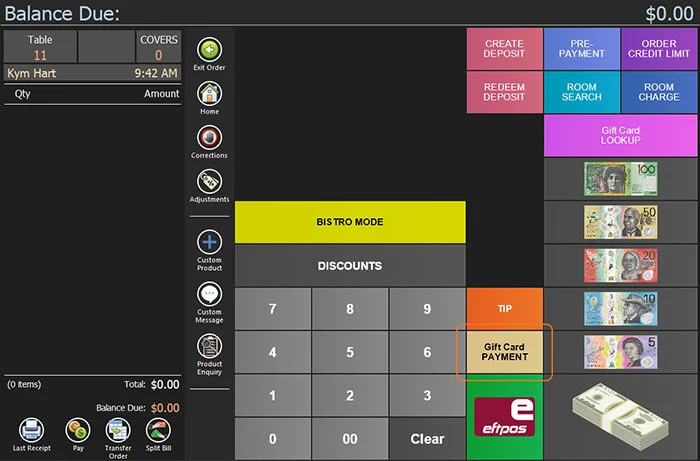
- 7Select Gift Card Payment
- 8Confirm the card type and enter the code
- 9PowerEPOS settles it with NowBookIt
- Paying part of a bill with a gift card
- 10Type the amount to redeem
- 11Take that amount from the card
- 12Need help?
Start
Before you start
- PowerEPOS integrated with NowBookIt.
- The Gift Card Look Up and Gift Card Payment buttons on your payment screen. Triniteq support adds these when the integration is set up — if they are not there, raise a ticket with us.
- The gift card itself, or the last 4 digits of a printed voucher code.
Checking a gift card
Looking the card up shows what is on it and whether it is still valid, without taking any money off it.
Step 1
Open the payment screen
In the POS, open an order and select Pay.
Step 2
Select Gift Card Look Up
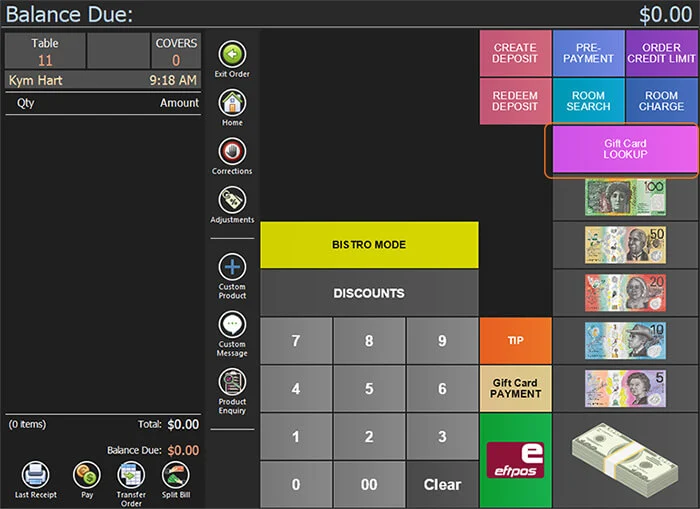
Step 3
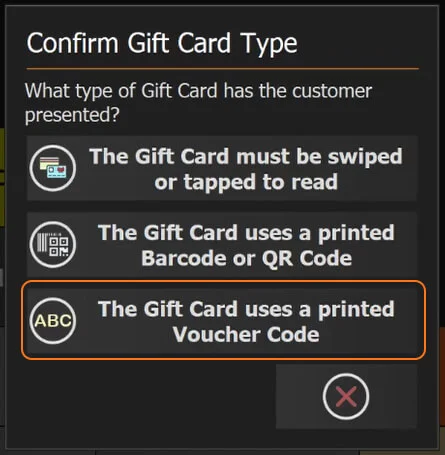
Say how the card is being read
Three options are offered. If a scanner or reader is connected, swiping or scanning the card moves straight on. Otherwise choose the one that matches — a printed voucher code, in this example.
Step 4
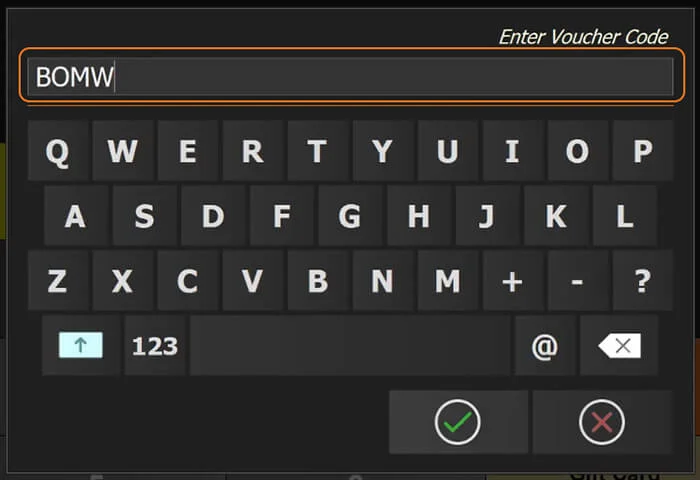
Enter the code
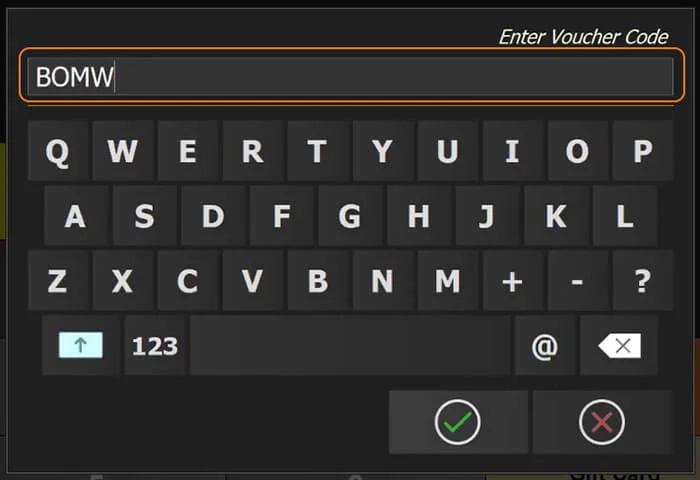
Type the last 4 digits of the code into the voucher code window.
Step 5
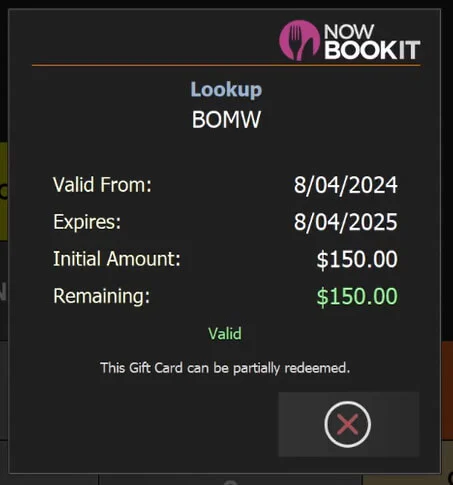
Read the card's details
The POS shows the card: valid from, valid to, the initial amount and the amount remaining.
Paying an order with a gift card
Step 6
Ring the order up and go to Pay
Open an order, add the products, and select Pay.
Step 7
Select Gift Card Payment
Step 8
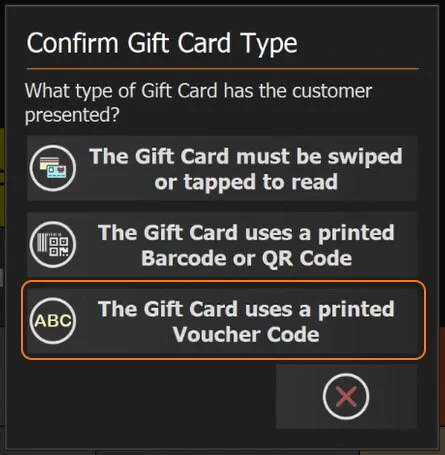
Confirm the card type and enter the code
Choose from the same three options. A swipe or scan moves straight on; for a printed voucher, select that option and enter the last 4 digits of the code.
Step 9
PowerEPOS settles it with NowBookIt
PowerEPOS contacts NowBookIt and puts the card's funds against the transaction.
If the card holds less than the order, the rest still has to be paid by cash or card to finish the sale. If it holds more, the balance stays on the card until it expires.
Paying part of a bill with a gift card
You can put a set amount of the card against an order — $20 of an $80 bill, say — and take the rest another way.
Step 10
Type the amount to redeem
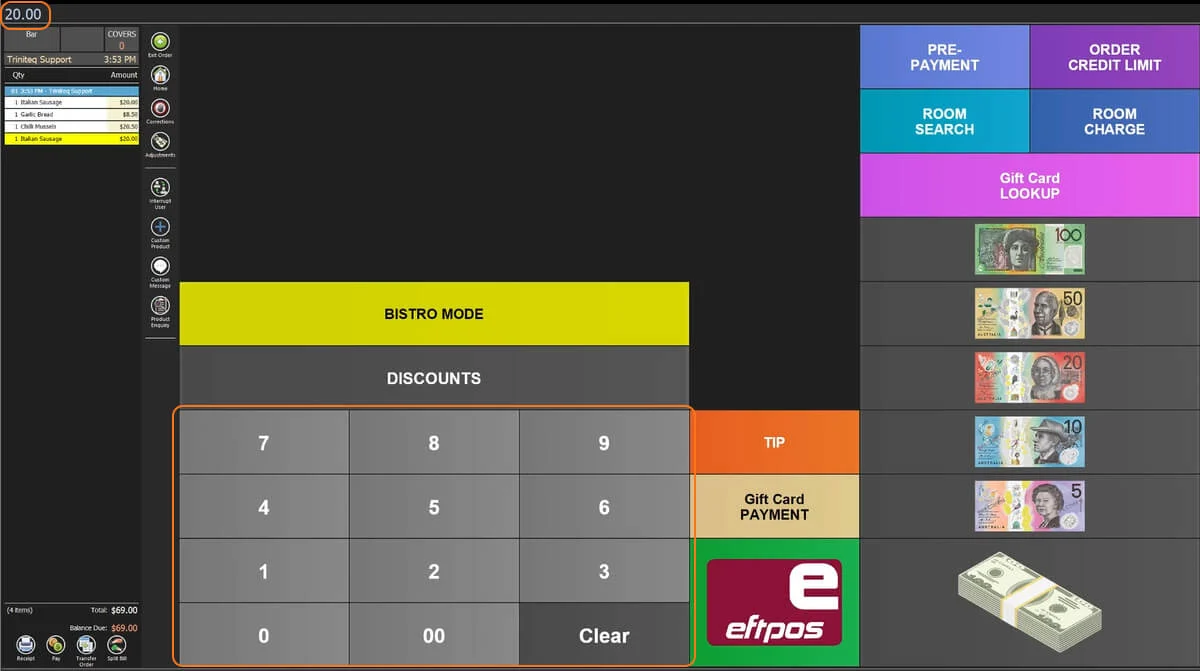
Open the order, go to the Pay screen, and key in the amount you want to take off the card. It appears at the top left of the screen — $20.00 in this example.
Step 11
Take that amount from the card
Select Gift Card Payment, confirm the card type, and enter the last 4 digits of the voucher code if you are using one. The gift card pays the bill down by the amount you keyed in, and the balance due drops to the remainder.
Step 12
Need help?
Triniteq support
Our support team is here to help.
Call 1300 784 276 or email support@triniteq.com, and include your venue name so we can find your setup straight away.