
Using PowerEPOS · Guide
Closing the day across several POS terminals
Combine the pending reports from every terminal into one consolidated X report, check the totals and finalise it into a Z report that closes the day.
PowerEPOS
Closing the day across several POS terminals
Consolidated Z reports
A venue running more than one terminal closes the day once, not once per terminal. The pending reports are combined into a consolidated X report, checked, and then finalised into a Z report that closes the day off.
In this guide
- StartBefore you start
- 1Open the reports
- 2Combine the pending reports
- 3Check the totals
- 4Finalise it
- 5Print it, if you keep a paper copy
- 6Need help?
Start
Before you start
- Every terminal finished with for the day.
- A POS login with access to Reports.
Step 1
Open the reports
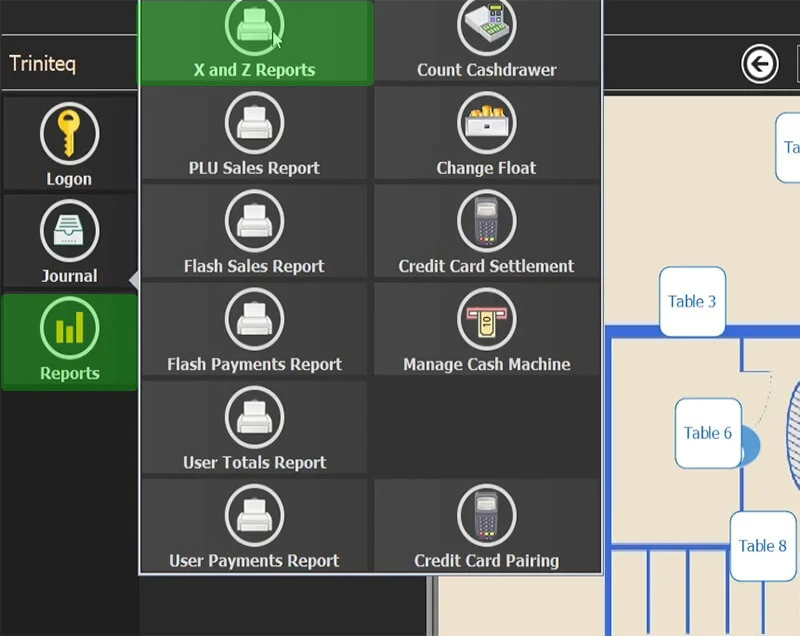
Sign in to the POS and go to Reports → X and Z Reports.
Step 2
Combine the pending reports
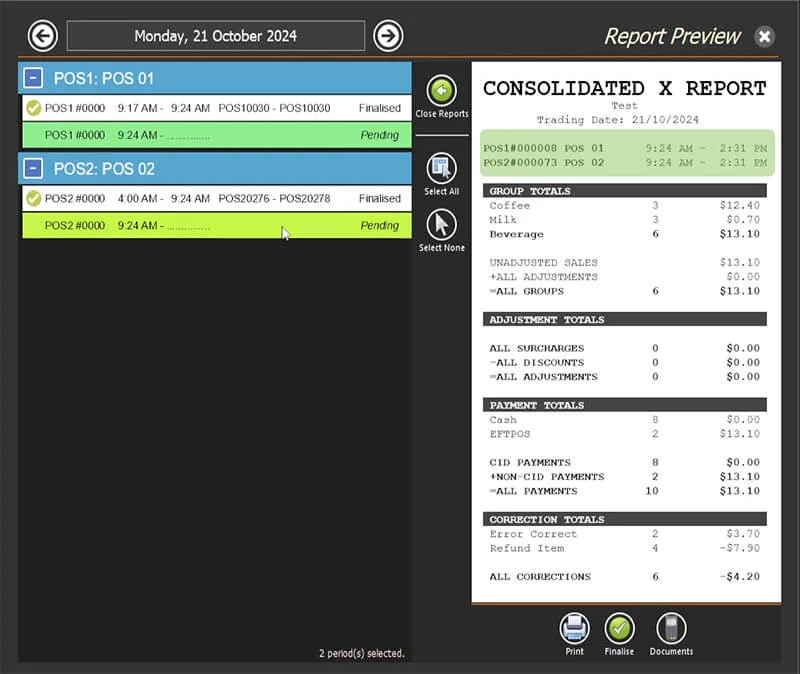
The screen lists every report generated through the day. Double-click each pending POS report to add it to a Consolidated X Report, so all the figures sit in one place.
Step 3
Check the totals
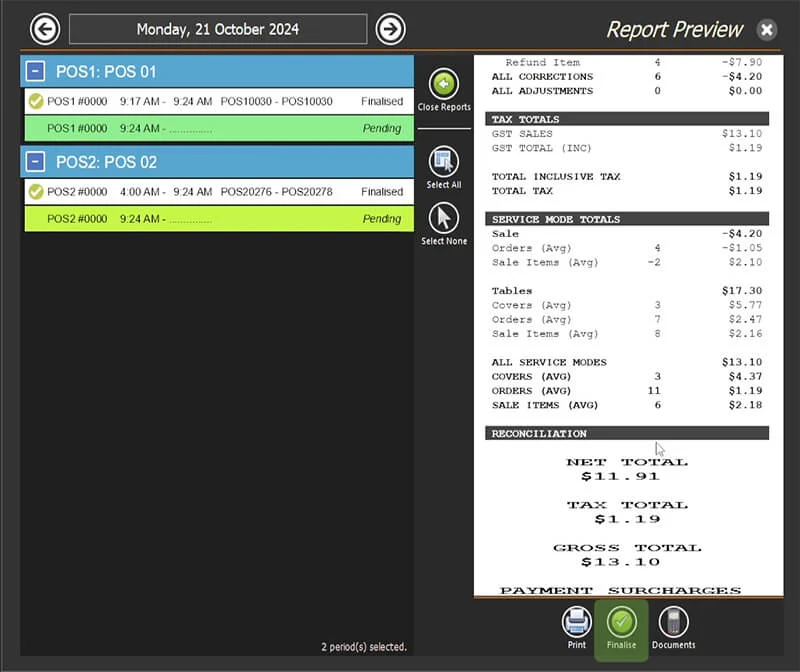
Read the consolidated X report. Fix anything that looks wrong before you go on — once it is finalised it cannot be reopened.
Step 4
Finalise it
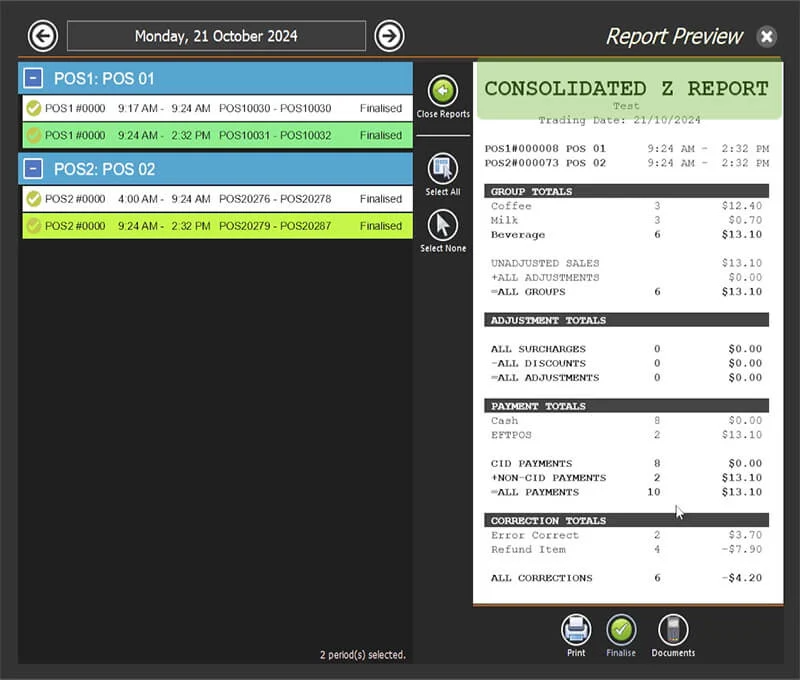
Press Finalise. The consolidated X report becomes a consolidated Z report, which closes the day off.
Step 5
Print it, if you keep a paper copy
Use the print button for a hard copy.
There is also a printable version: PowerEPOS Guide — EOD Multiple POS Terminals.
Step 6
Need help?
Triniteq support
Our support team is here to help.
Call 1300 784 276 or email support@triniteq.com, and include your venue name so we can find your setup straight away.